01
What Expensify is built for
Expensify targets teams and corporate expense management with employee submission, approvals and integrations. It also offers a personal use case, but the pricing model and product surface reflect the team-focused origin.
02
What Monira is built for
Monira is an iPhone-first app for individuals, freelancers and small businesses. The core action is scanning a receipt, categorizing it and getting a clean export – without seats, admin roles or bank connections.
- AI receipt scanner with human review step
- Personal and business profiles side by side
- Category budgets and multi-currency tracking
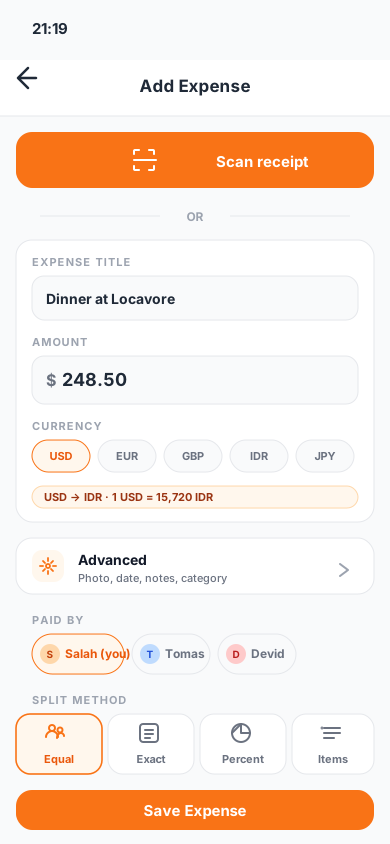
- Group trips and bill splitting built in
- PDF, Excel and CSV exports
03
Compare the everyday actions
Pricing pages describe features. What decides your workflow is how each app handles the actions you do dozens of times per month. Before you switch, test the specific tasks below in both products.
- Scan a wrinkled receipt and correct extracted fields
- Log a foreign-currency purchase with the home-currency total
- Split a shared expense with a friend
- Export a month of receipts as PDF with images attached
- Cancel or downgrade the subscription without losing data
04
Pricing and cancellation transparency
Confirm any comparison directly against current product pages before deciding. Prices, free tiers and cancellation terms change; the official Expensify pricing page and Monira's App Store listing are the current source of truth.
05
Who Monira is not for
Monira does not run an employee submission-and-approval workflow, does not have admin/manager roles and is not a corporate travel platform. If those are must-haves, Expensify or a similar enterprise tool is a better fit than Monira.
Questions
What people usually ask
Is Monira cheaper than Expensify?+
Compare current pricing directly on each product's pricing page. Monira is free to download with optional in-app purchases; Expensify uses a per-active-user model with different tiers.
Does Monira support employee expense submission?+
No. Monira is a single-user iPhone app aimed at individuals, freelancers and small businesses, not a team submission and approval platform.
Can I export receipts to my accountant?+
Yes. Monira exports PDF, Excel and CSV with the receipt images attached, ready to send to an accountant, employer or client.
Do I need to link my bank account?+
No. Monira does not require bank account linking. You add expenses through receipt scanning or manually.
Verified sources