01
Capture receipts the moment they happen
The cost of a missed receipt is a missed deduction and hours of end-of-quarter cleanup. Monira captures the merchant, date, tax and total from the receipt image, then lets you confirm the fields before saving.
- Snap the receipt at the counter or upload later
- Review merchant, date, tax and total
- Add a business note, project or client
02
Keep business and personal spending separate
Sole proprietors, freelancers and single-member LLCs benefit from a clear line between business and personal expenses. Monira supports separate profiles so you never mix a family dinner with a client dinner in the same report.
03
Monitor budgets and multi-currency purchases
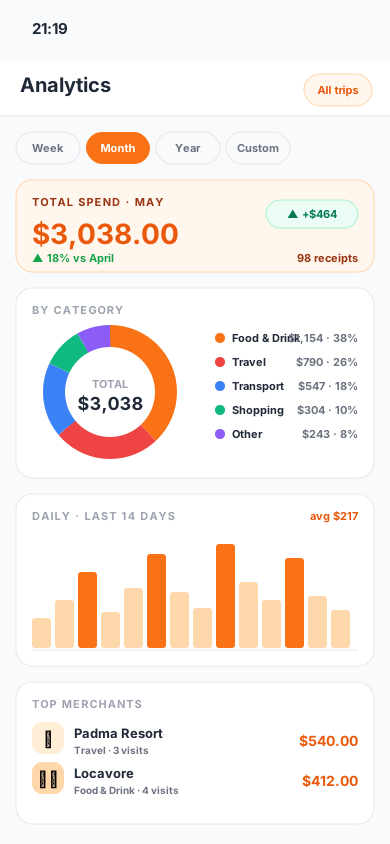
Categories, monthly budgets and travel currencies stay visible while you spend, not months after. Multi-currency tracking is useful for freelancers who bill international clients or travel for work.
04
Export accountant-ready records
When quarterly taxes, reimbursements or annual filings arrive, an organized export makes the conversation faster. Monira exports PDF, Excel and CSV files with the receipt data your accountant needs to see.
05
Build a weekly expense-review routine
Receipt capture works best when it is paired with a short review habit. Once a week, check uncategorized purchases, attach missing business notes and confirm that recurring subscriptions or mileage belong to the right client or project. At month-end, export the period and scan it for duplicates before sharing it. This takes minutes when receipts were recorded as they happened and prevents a much larger cleanup before tax time.
- Review uncategorized and high-value expenses
- Match mileage, subscriptions and receipts to a client or project
- Confirm foreign-currency amounts and business purpose
- Export a monthly copy outside the app
06
Where Monira does not replace an accountant
Monira prepares receipt evidence and expense records. It does not file taxes, calculate deductibility for you or run payroll. Treat the export as the input for whichever bookkeeping or tax workflow you already use.
Questions
What people usually ask
Is Monira designed for freelancers as well as small businesses?+
Yes. Solo freelancers, small teams and single-owner businesses can all use Monira to capture receipts, separate business and personal spending, and export records.
Does Monira handle sales tax?+
Monira reads tax fields printed on the receipt. It does not calculate or file taxes. Confirm every scan before saving.
Can I share expense data with an accountant?+
Yes. Monira exports PDF, Excel and CSV files that can be shared with an accountant, employer or client.
Which iPhones are supported?+
Monira runs on iPhone with iOS 15.1 or later. The app is available on the App Store.
Verified sources